
Blog
NVIDIA DGX Spark vs Beelink GTR9 Pro: Which Local AI Box Should You Buy?

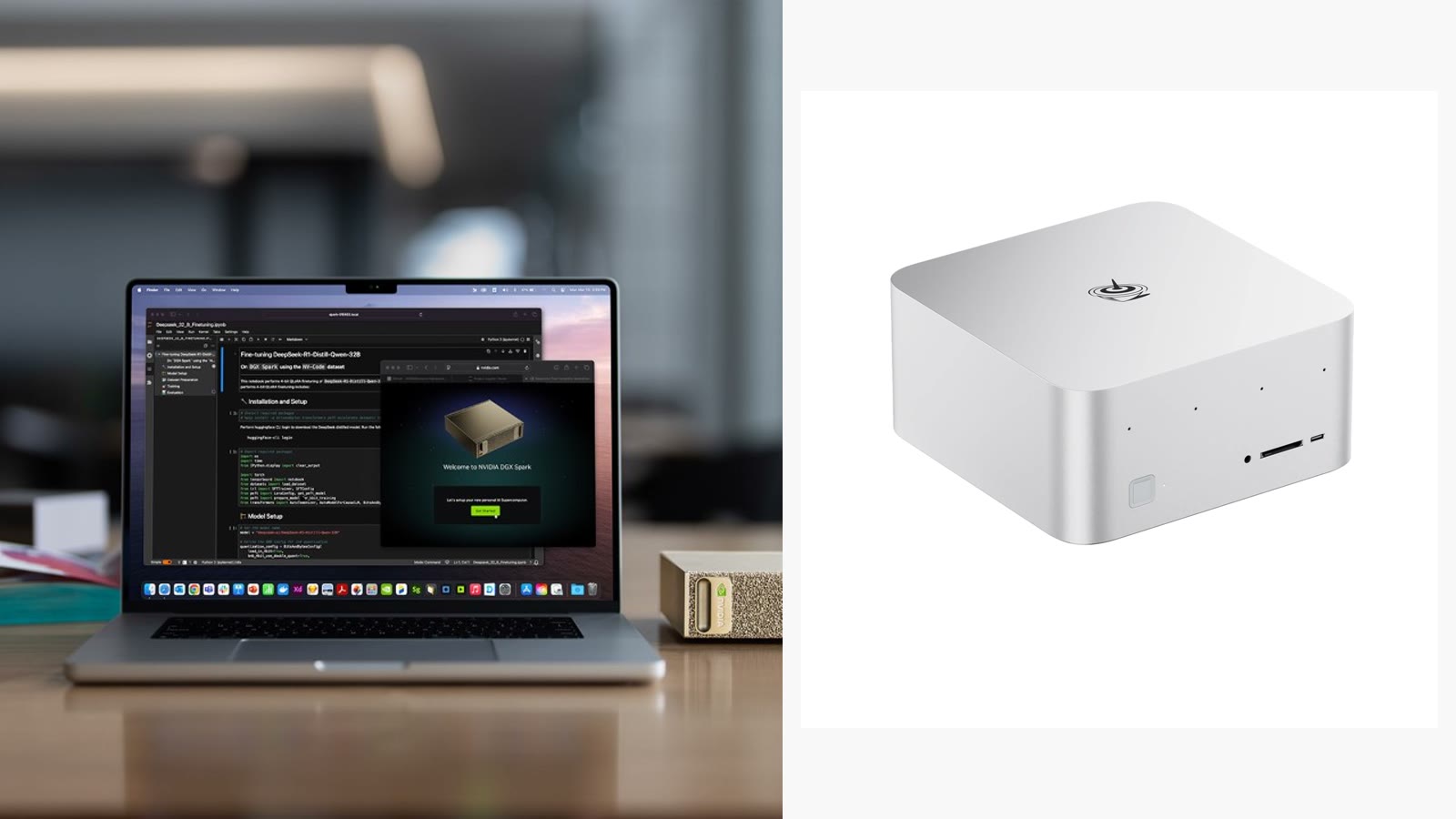
Last updated 29 August 2026. Both machines are in stock at the time of writing.
These two sit $350 apart and solve the same problem: running large AI models locally, on your desk, without renting cloud compute by the hour.
They arrive at it very differently. Here is how to tell which one is yours.
The short answer
Buy the NVIDIA DGX Spark ($4,699) if your work lives inside NVIDIA’s ecosystem — CUDA, NeMo, TensorRT, the containers your team already runs — and you want the machine that behaves like a small piece of the datacentre you deploy to.
Buy the Beelink GTR9 Pro ($4,349) if you want one box that runs large models and works as a genuinely fast general-purpose desktop, with real networking and x86 compatibility.
If you stopped reading here, you would make a reasonable decision either way. The detail below is about which mistake you would rather avoid.
What you actually get
| NVIDIA DGX Spark | Beelink GTR9 Pro | |
|---|---|---|
| Price | $4,699 | $4,349 |
| Silicon | GB10 Grace Blackwell, 20-core Arm | AMD Ryzen AI Max+ 395 (x86) |
| Memory | 128GB unified LPDDR5X | 128GB LPDDR5x-8000, soldered |
| Storage | 4TB NVMe included | Configurable, 2TB and 4TB options |
| Networking | Datacentre-oriented | Dual 10GbE |
| Cooling | Compact chassis | Vapour chamber |
| Runs Windows | No | Yes |
Both give you 128GB of unified memory, and that is the number that decides what you can actually load. Model weights at 4-bit quantisation land near half a gigabyte per billion parameters, so 128GB puts very large models within reach on either machine — with headroom for context, which is where people usually run out first.
The real difference is the software, not the silicon
Specifications make these look interchangeable. In daily use they are not.
The DGX Spark is an NVIDIA machine end to end. If your pipeline already assumes CUDA, that is worth more than any benchmark. Things work. Containers your team built for datacentre GPUs run on the thing under your desk. The friction you are buying away is real and it is expensive to work around.
The cost is that it is Arm, and it is not a general desktop. It is an appliance for a job.
The GTR9 Pro is a very fast x86 computer that happens to have 128GB of unified memory. It runs Windows. It runs your existing tools. Dual 10GbE means it drops into a real network without adapters — genuinely useful if it is pulling datasets off a NAS or serving a small team.
The cost is that AMD’s AI software stack, while improving quickly, still involves more configuration than NVIDIA’s. If you have never fought a ROCm install, budget an afternoon.
Which one is the mistake?
Buying the DGX Spark when you needed a desktop. It is not a workstation that also does AI. If you expected to use it as your daily machine, you will be disappointed by week two.
Buying the GTR9 Pro when your team is a CUDA shop. Saving $350 to spend three days porting a pipeline is not a saving. If somebody in the room says “we’ll just make it work,” they are describing unbilled hours.
A note on both prices
Neither is priced where it started. The DGX Spark was announced at $2,999 and launched at $3,999; NVIDIA raised it to $4,699 in February 2026, citing memory supply constraints. The GTR9 Pro launched at a $1,985 MSRP.
Those increases are not vendors being opportunistic — they track a roughly 700% rise in DRAM spot prices, and both of these machines are, by weight, mostly memory. We wrote about what that means for buyers separately. The short version: the machine you are comparing today is unlikely to be cheaper next quarter.
If neither is right
$4,000+ is a serious commitment, and plenty of local-AI work does not need 128GB.
- Beelink GTi15 Ultra — from $1,499. Core Ultra 9 285H. Comfortable with mid-sized models, and a strong desktop.
- Beelink SEi14 AI — $2,059. The step between.
- Beelink EQi Pro — $629. Ships with OpenClaw pre-installed on Ubuntu. The cheapest sensible way to find out whether local inference fits your workflow before spending four figures.
That last one is the honest recommendation for most people reading a comparison like this. Buy the $629 machine, run your actual workload, and let it tell you whether you need the $4,699 one.
Not sure which way to go? Email support@computahardware.com with the models you want to run and we will tell you straight — including if the answer is neither.